 By Saksham Arora
 The Vaidhmapan Login portal is an official online platform developed by the Legal Metrology Department, Government of Maharashtra. It provides digital services related to licenses, registrations, verification certificates, and regulatory compliance for businesses dealing with weights, measures, and packaged commodities.
The portal simplifies government services by allowing manufacturers, dealers, repairers, packers, and importers to apply for licenses and manage applications online. This article explains everything about Vaidhmapan login, including features, registration steps, services, and frequently asked questions.
What is Vaidhmapan Portal?
Vaidhmapan is an integrated e-governance system designed to improve Government-to-Business (G2B) services under the Legal Metrology Department of Maharashtra. The platform provides an end-to-end digital solution for licensing, inspections, and compliance processes related to weights and measures.
The system aims to increase transparency, reduce paperwork, and improve efficiency for both businesses and government officials. It operates as a workflow-based software covering licensing, verification, inspection, and complaint handling services.
Official Vaidhmapan Login Portal
Users can access the login page using the official link:https://www.vaidhmapan.maharashtra.gov.in/homepages/login.aspx
The login page requires users to enter their username and password before accessing online services.
How to Login to Vaidhmapan Portal
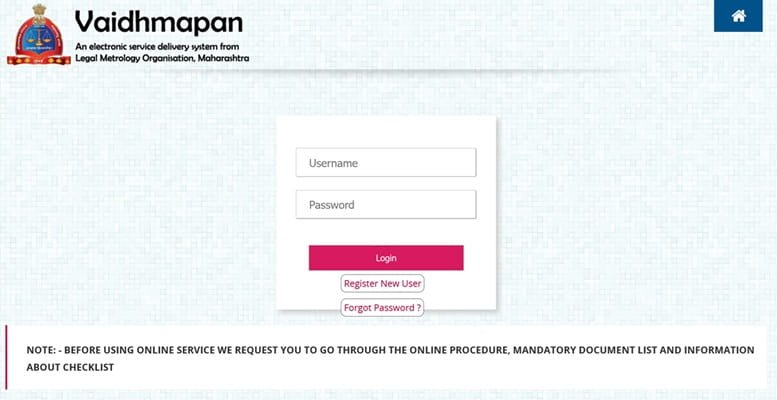
Follow these steps to log in:
- Visit the official Vaidhmapan login page.
- Enter your Username.
- Type your Password.
- Complete any verification if required.
- Click on the Login button.
After successful login, users can access application services, license details, and certificates.
How to Register as a New User
If you are using the portal for the first time, create an account:
- Open the official Vaidhmapan website.
- Click on Register New User.
- Fill in business and personal details.
- Create login credentials.
- Submit the registration form.
After registration, you can log in and apply for services online.
Services Available on Vaidhmapan Portal
The Vaidhmapan portal offers multiple online services for businesses and traders:
- License Applications
Users can apply for licenses as:
- Manufacturer
- Dealer
- Repairer
- Package Commodity Registration
Registration certificates are available for:
- Manufacturers
- Packers
- Importers
- License Renewal
Existing license holders can renew licenses online based on validity periods.
- Amendment Services
Users can update or modify license or registration details digitally.
- Verification & Stamping Certificates
The portal enables issuance of computerized verification certificates for weighing and measuring instruments.
- Complaint and Grievance System
Businesses and consumers can submit complaints through the online platform.
Key Features of Vaidhmapan System
The portal includes several advanced features:
- Online application submission
- Digital workflow tracking
- Automated license renewal reminders via SMS/email
- Inspection and court case monitoring
- MIS reports generation
- Integration with other government departments
These features improve accountability and reduce manual errors in regulatory processes.
Benefits of Using Vaidhmapan Login
Using the Vaidhmapan portal provides many advantages:
- Faster processing of licenses
- Reduced paperwork and office visits
- Secure digital record management
- Better transparency in approvals
- Easy tracking of application status
- Improved compliance monitoring
The system also helps prevent data tampering and improves departmental efficiency.
Who Can Use Vaidhmapan Portal?
The portal is mainly designed for:
- Manufacturers using weighing/measuring instruments
- Dealers and repairers
- Packers and importers of packaged commodities
- Businesses regulated under Legal Metrology laws
- Department officials
It acts as a single-window platform for interaction between businesses and the department.
Common Vaidhmapan Login Issues and Solutions
Forgot Password
Use the Forgot Password option on the login page to reset credentials.
Unable to Login
Check username and password carefully or clear browser cache.
Application Not Visible
Login again and check under “Application Status”.
Technical Errors
Use updated browsers such as Chrome or Edge for better performance.
Security Tips for Users
- Keep login credentials confidential.
- Change passwords regularly.
- Avoid accessing the portal from public computers.
- Always log out after completing work.
Conclusion
The Vaidhmapan Login portal is an important digital initiative by the Maharashtra Government that simplifies licensing and compliance procedures under Legal Metrology regulations. By offering online applications, renewals, and certificate management, the platform saves time for businesses while improving transparency and efficiency in government services.
For businesses dealing with weights, measures, and packaged commodities, Vaidhmapan serves as a convenient and reliable online compliance system.
FAQs About Vaidhmapan Login
Q1. What is Vaidhmapan login used for?
It is used to access online licensing, registration, renewal, and verification services provided by Maharashtra’s Legal Metrology Department.
Q2. Who can register on Vaidhmapan portal?
Manufacturers, dealers, repairers, packers, and importers dealing with weights and measures can register.
Q3. Can I renew my license online?
Yes, license renewal services are available through the portal after login.
Q4. How can I check application status?
Login to your account and use the Application Status option.
Q5. Is Vaidhmapan an official government website?
Yes, it is an official portal operated by the Government of Maharashtra Legal Metrology Department.
Q6. Can I download certificates online?
Yes, approved licenses and registration certificates can be downloaded after login.