 By Saksham Arora
 The Government of Madhya Pradesh manages employee salary, treasury operations, pension records, and financial administration through the Integrated Financial Management System (IFMS), also known as e-Vitt. This digital platform helps state government employees access important financial and service-related information online.
The IFMS MP Employee Self Service (ESS) portal is an essential system for government staff in Madhya Pradesh. Employees use the portal to update profiles, download payslips, check GPF details, manage leave applications, and maintain official service records.
The system is especially important because incomplete ESS profiles can affect salary processing and administrative approvals.
What is IFMS MP Employee Portal?
The IFMS MP portal is an online treasury and financial management system developed for Madhya Pradesh government employees and departments.
The Employee Self Service (ESS) module allows employees to independently access and update their personal and salary-related records without repeated office visits.
The official portal is available at: https://www.mptreasury.gov.in/IFMS
The platform is managed under the Treasury and Accounts Department of Madhya Pradesh.
Why ESS Profile Update is Important
One of the most important instructions on the IFMS portal is mandatory ESS profile updating.
Employees are required to complete and maintain their profile information properly because salary processing may be delayed if records are incomplete.
Important details that usually need updating include:
- Samagra ID
- Aadhaar Number
- Mobile Number
- Family Details
- Nominee Information
After submission, profile updates must be approved by the DDO or department authority.
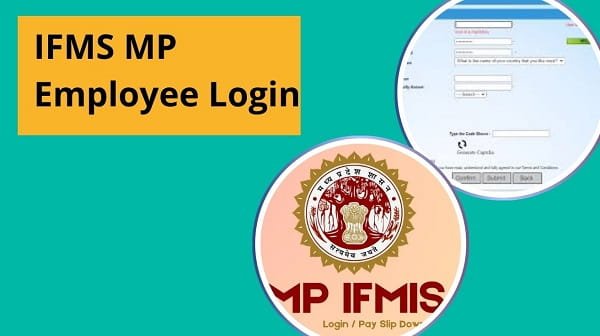
How to Login to IFMS MP Employee Portal
Employees can access the ESS portal using their Employee Code and password.
Step 1: Open Official Website
Visit the official IFMS MP portal: https://www.mptreasury.gov.in/IFMS
Step 2: Enter User ID
Type your Employee Code in the User ID field.
This code is provided by the department or treasury office.
Step 3: Enter Password
Now enter your password carefully.
First-time users may receive temporary login credentials from their DDO or office administration.
Step 4: Enter Captcha
Fill in the captcha code exactly as shown on the screen. Captcha verification is case-sensitive.
Step 5: Click Login
After successful verification, the ESS dashboard will open.
Main Features of IFMS MP ESS Portal
The portal provides several important services for employees.
Salary Payslip Download
Employees can download monthly salary slips directly from the portal.
Payslips usually include:
- Basic Pay
- DA
- HRA
- Salary Deductions
- Net Salary
- Tax Information
Employees can select specific month and year options for downloading payslips.
GPF and DPF Account Details
The portal allows employees to track:
- GPF contributions
- DPF balance
- Interest details
- Account statements
This helps employees monitor retirement savings regularly.
Leave Management
Employees can apply for different leave categories online including:
- Casual Leave
- Earned Leave
- Medical Leave
Leave approval status can also be tracked digitally.
Arrear and Salary Claims
The IFMS system provides access to pending arrears and salary revision details related to promotions or DA hikes.
Annual Property Returns
Government employees can submit annual immovable property returns online through the ESS portal.
This reduces manual paperwork and simplifies compliance requirements.
Forgot Password Process
Employees who forget their password can reset it online.
Steps to Reset Password
- Click on “Forgot Password?”
- Enter Employee Code/User ID.
- Verify OTP sent to registered mobile number.
- Create a new password.
If the mobile number is outdated, employees must contact their DDO for updating records.
Recommended Browser for IFMS Portal
The IFMS portal works best on:
- Mozilla Firefox (Version 47 or above)
Using updated browsers helps avoid login or page loading issues.
Common Login Problems and Solutions
Incorrect Password
Check password spelling carefully and ensure Caps Lock is disabled.
Captcha Error
Captcha is case-sensitive. Refresh the image if unclear.
Slow Portal Performance
Clear browser cache and cookies if pages are not loading properly.
PDF Download Issues
Allow browser pop-ups for salary slip downloads.
Security Tips for Employees
Avoid Public Computers
Do not access IFMS accounts from cyber cafes or public systems.
Change Password Regularly
Frequent password updates improve account safety.
Use Virtual Keyboard
The portal provides a virtual keyboard option for additional security.
Logout After Use
Always logout properly after completing work.
IFMS MP Helpdesk Support
Employees facing technical problems can contact official support.
Toll-Free Helpdesk
18004198244
Important Information for Employees
| Feature | Details |
| Portal Name | IFMS MP / e-Vitt |
| Official Website | mptreasury.gov.in |
| Login ID | Employee Code |
| Mandatory Requirement | ESS Profile Update |
| Main Services | Payroll, GPF, Leave, Property Returns |
| Helpdesk Number | 18004198244 |
Final Words
The IFMS MP Employee Login portal has become a crucial digital platform for Madhya Pradesh government employees. From downloading payslips to updating ESS profiles and tracking GPF contributions, the system simplifies many financial and administrative processes.
By regularly updating profile information and using the ESS portal correctly, employees can ensure smooth salary processing and proper maintenance of their official service records.