 By Saksham Arora
 Darwinbox is one of the most widely used Human Capital Management (HCM) platforms in India and several other countries. Companies use Darwinbox to manage attendance, payroll, leave requests, employee records, recruitment, performance reviews, and HR operations digitally.
The Darwinbox Employee Self-Service (ESS) portal allows employees to handle many HR-related tasks online without depending completely on HR departments.
Since Darwinbox works on a company-specific cloud system, every organization receives its own custom login portal and sub-domain.
What is Darwinbox Employee Login?
The Darwinbox Employee Login portal is an online HR management platform where employees can access professional and payroll-related information securely.
Employees can use the portal to:
- Mark attendance
- Apply for leave
- Download payslips
- Access tax documents
- Submit expense claims
- Track performance goals
- Update employee information
The system helps organizations automate HR operations while giving employees direct access to important records.
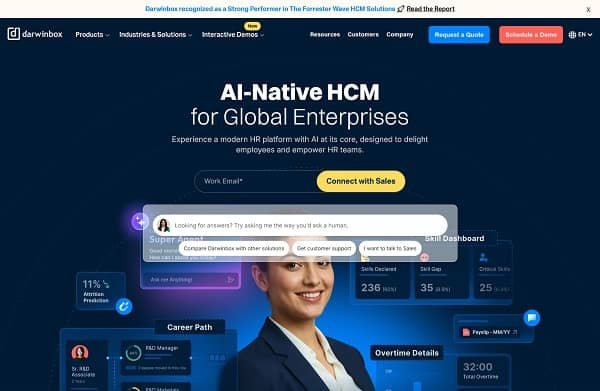
Official Darwinbox Login Format
Unlike many HR portals, Darwinbox does not use one universal employee login page.
Each company receives its own custom URL.
Common Login URL Format
https://companyname.darwinbox.in
or
https://companyname.darwinbox.com
Examples of Darwinbox Company Portals
Some organizations using Darwinbox include:
- zydusgroup.darwinbox.in
- straive.darwinbox.com
- emcure.darwinbox.in
Employees must use the exact company-specific login link provided by their organization.
How to Login to Darwinbox Employee Portal
The login process depends on company configuration.
Step 1: Open Company Login URL
Visit your organization’s official Darwinbox portal link.
Step 2: Choose Login Method
Most companies provide one of these login options:
- Single Sign-On (SSO)
- Employee ID and Password Login
Step 3: Enter Credentials
If using normal login:
- Enter Employee ID or registered email
- Enter password
If using SSO:
- Continue using Google
- Continue using Microsoft
- Use company email authentication
Step 4: Complete Authentication
After successful verification, the employee dashboard opens.
Single Sign-On (SSO) Login
Many companies integrate Darwinbox with corporate identity systems.
Employees can login using:
- Google Workspace
- Microsoft Office 365
- SAML Authentication
This allows employees to use existing office email credentials instead of separate passwords.
Main Features of Darwinbox ESS Portal
The Employee Self-Service portal provides many HR management tools.
Attendance and Leave Management
Employees can:
- Mark attendance
- Check punch records
- Apply for leave
- Monitor leave balances
- Request Work From Home approvals
Attendance tracking may include GPS or biometric integration depending on company policy.
Payroll and Salary Services
The payroll section allows employees to access salary-related information.
Payslip Download
Employees can download monthly salary slips directly from the portal.
Tax Documents
The system provides access to:
- Form-16
- Tax declarations
- Salary breakup
- Investment proof submission
Expense Management
Employees can submit reimbursement claims for:
- Travel expenses
- Food expenses
- Office purchases
- Business-related costs
Approval status can also be tracked online.
Performance Management
Darwinbox includes performance and learning tools for employees.
Goal Tracking
Employees can manage goals, KRAs, and OKRs digitally.
Performance Reviews
Managers and employees can participate in appraisal cycles online.
Learning Modules
Some companies also provide training and skill development content through Darwinbox.
Darwinbox Mobile App
Darwinbox is available for Android and iPhone users.
The mobile app provides easy access to employee services from smartphones.
Features of Darwinbox Mobile App
- Attendance marking
- Leave applications
- Payslip access
- Notifications
- Expense claims
- Performance tracking
First-Time App Setup
When opening the app for the first time:
- Enter your organization’s Darwinbox URL.
- Login using SSO or employee credentials.
- Access employee dashboard.
Forgot Password Process
Employees who forget their password can recover access easily.
Steps to Reset Password
- Click on “Forgot Password.”
- Enter registered email or employee ID.
- Verify through email or OTP.
- Create a new password.
Common Login Problems and Solutions
Incorrect Company URL
Many login failures happen because employees use the wrong sub-domain link.
Browser Cache Issues
Clear browser cache and cookies if pages fail to load properly.
SSO Authentication Failure
Ensure you are logged into the correct corporate Google or Microsoft account.
Mobile App Issues
Update the Darwinbox app regularly for better performance.
Benefits of Darwinbox HRMS
Faster HR Processes
Employees can complete HR tasks online without paperwork.
Better Transparency
Salary, attendance, and leave records are visible directly to employees.
Mobile Accessibility
The mobile app allows employees to manage work-related tasks from anywhere.
Improved Employee Experience
The system creates a more organized and user-friendly HR environment.
Important Information
| Feature | Details |
| Platform | Darwinbox |
| Type | Cloud-Based HRMS |
| Login ID | Employee ID / Company Email |
| Login URL | Company-Specific Subdomain |
| Mobile Access | Darwinbox App |
| Main Services | Payroll, Leave, Attendance, Performance |
Final Words
The Darwinbox Employee Login portal has become one of the most popular HR management systems used by modern organizations. With features like attendance management, payroll access, leave tracking, expense claims, and mobile support, the platform simplifies many daily HR activities for employees and companies alike.
By providing cloud-based self-service tools, Darwinbox helps organizations improve efficiency, transparency, and employee convenience in a digital workplace environment.